


From 2 fps to 60 on an iPhone: what was slowing Destruction Cars down
By Encrypted Cat / 0xKOT
Destruction Cars runs in the browser: three.js for the graphics, Rapier for the physics, compiled to WebAssembly. It has to run on phones, and our test phone is an iPhone 15 Pro Max.
In mid-October we built Destruction County, one connected 1.6 km map with about 5,500 physics bodies. On the iPhone it ran at 2–3 fps. This is how we got it to 60, and what we learned when the game got heavier again.
Destruction Cars is a codename. The real name will be announced later.
Compare against a map that works
Smaller maps played fine on the phone, so we measured the County against one of them, the Industrial District, at iPhone size on a Mac:
| County | Industrial District | |
|---|---|---|
| Frame (Medium tier) | 8.4 ms | 4.5 ms |
| Simulation per tick | 3.0–3.3 ms | 0.7–0.9 ms |
| Physics bodies | 5,561 | 598 |
| Instanced objects | 10,053 | 451 |
Nothing was bad on its own, but everything was 5–20× bigger. That pointed at code that does something for every object, every frame, whether or not it’s near you.
The physics step that wasn’t physics
One Rapier step took 1.76 ms with only 4 bodies awake. The physics itself took 0.06 ms. The other 1.63 ms was Rapier’s JavaScript wrapper walking every body and collider after each step, looking for soft bodies. The game has none. We now call the physics pipeline directly. We compared all 5,561 bodies after 300 steps: the results were identical.
We also stopped reading back every body’s position each tick, and only read the ones that can have moved: 9 of 859 when idle. Together, the tick went from 3.0 to 0.7 ms.
Lights nobody could see
three.js shades every light in every pixel, even at intensity 0. Every material on the County had 21 lights in it, and by day 18 were off. Hiding them cut the frame by about 40%. Now street lamps only join the shaders at dusk and night: 5 lights by day instead of 21.
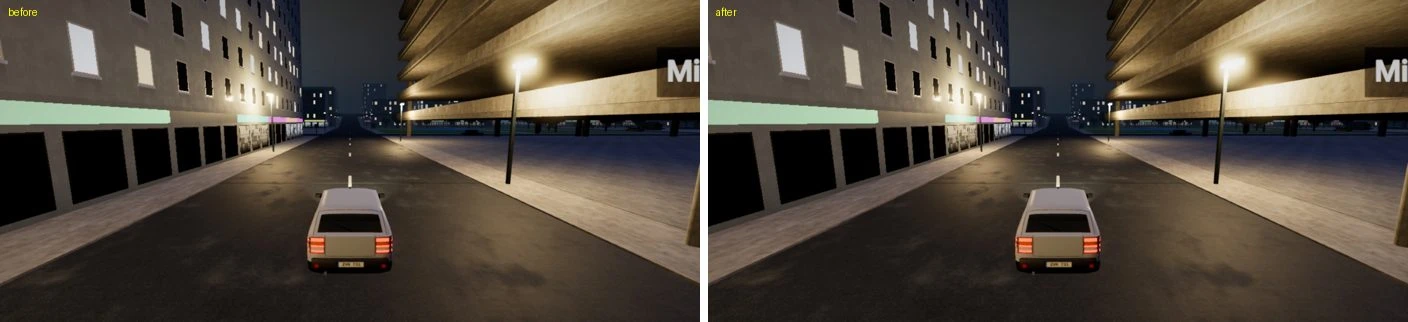
Two more fixes on the same theme. Rubble from a crash kept waking its neighbours, so on phone tiers small pieces now turn static half a second after they land. Awake bodies in the 10 seconds after a crash went from 78 to 29. The AI’s navigation grid, 102,400 cells built while you played, is now baked offline and loaded with the map.
The URL that lied
To see numbers on the phone, we built an overlay into the game: add ?perf=1 and it shows frame time, simulation time, draw calls and a “Copy report” button. After the fixes it still said 14–17 fps, with physics 27× slower than on the Mac. A phone should be 2–4× slower.
The cause was our test setup. We opened the dev server on the phone over plain http:// to the Mac’s address. On a page that isn’t https, iOS Safari runs JavaScript and WebAssembly without a JIT:
| iPhone, same page | Rapier, compared with desktop |
|---|---|
| over http (no JIT) | 75–87× slower |
| over https | 3.6–5.8× slower |
Players get https, so every phone number we’d taken was about ten times too pessimistic. We added one command that serves the dev server over https with a self-signed certificate, and the overlay now warns on http.
Over https, with the fixes, the County ran at 60 fps on the iPhone (1% low 46), with physics at 0.23 ms and render CPU at 2.7 ms a frame.
Then the game got heavier
A week later we rebuilt the look of the world: brick buildings with window sills and lintels, street props, baked light. Old Town fell to 37–41 fps on the phone and the City to about 36–39. Two things made it hard to read.
Triangles, not pixels. A warm iPhone paid about 4 ms per 100,000 triangles, and Old Town drew 458,000. Lowering the resolution barely helped: a quarter of the pixels only took Old Town from 29 to 37 fps.
Heat. The phone warms up within about 30 seconds. A cold run held 60 fps on a frame that, unchanged, ran at 37 once warm. Fast and slow runs alternated, so a single run proved little.
What we changed on the phone tiers:
- Buildings are only drawn in a wedge around where the camera looks, not all round it, and on Medium only within 60 m (was 110).
- The draw distance on Medium went from 300 to 200 m.
- No 4× MSAA; a cheaper FXAA pass instead.
- Skid marks drew 16,000 triangles from the start; now only the segments laid.
Dynamic resolution, and a choice
Our dynamic resolution only ever went down. It raised the scale only when frames took under 13 ms, which a 60 Hz phone never reports. One slow moment sent it to half resolution for good, and the picture went soft.
At half resolution the fixed build held 59–60 fps. We decided against it: a sharp 30–50 fps reads better than a blurry 60. Now the scale can climb back, and it stops at 0.75 unless the game stays under 30 fps for 3 seconds. Old Town runs at 49–51 fps and the City at 45–47, and 1% lows went from 23–31 to 36–42 fps.
MSAA, measured properly
On 2026-10-28 we tried a sharper phone picture: a higher pixel ratio with 4× MSAA. The first report: 34 fps, against 56 with the old look.
So we built a bench that runs on the phone, reloads the page for each setup and times fixed spots on the Village map. Because of heat, it measures the full look again between every test and compares each test with its neighbours. The answer was clear: MSAA cost about 10 ms a frame on a warm iPhone. Everything else was within the noise.
| Village spots, warm phone | fps (square / loop) |
|---|---|
| pixel ratio 1.8 with MSAA | 36 / 53 |
| pixel ratio 1.8, no MSAA | 60 / 60 |
Phones now use pixel ratio 1.8 with FXAA and no MSAA.
What we’d tell anyone else
- Test phones over https.
- Measure the warm phone, not the first minute.
- Look for work that scales with the whole map, not with what’s on screen.
Destruction County itself was later removed in favour of smaller maps. The fixes stayed.
Numbers are from October 2026, measured on an iPhone 15 Pro Max (Safari, iOS 27) and an M1 Pro MacBook (Chrome).