


Our own cut-scene editor: scenes as files, and crashes that replay to the bit
By Encrypted Cat / 0xKOT
Destruction Cars is a codename. The real name will be announced later.
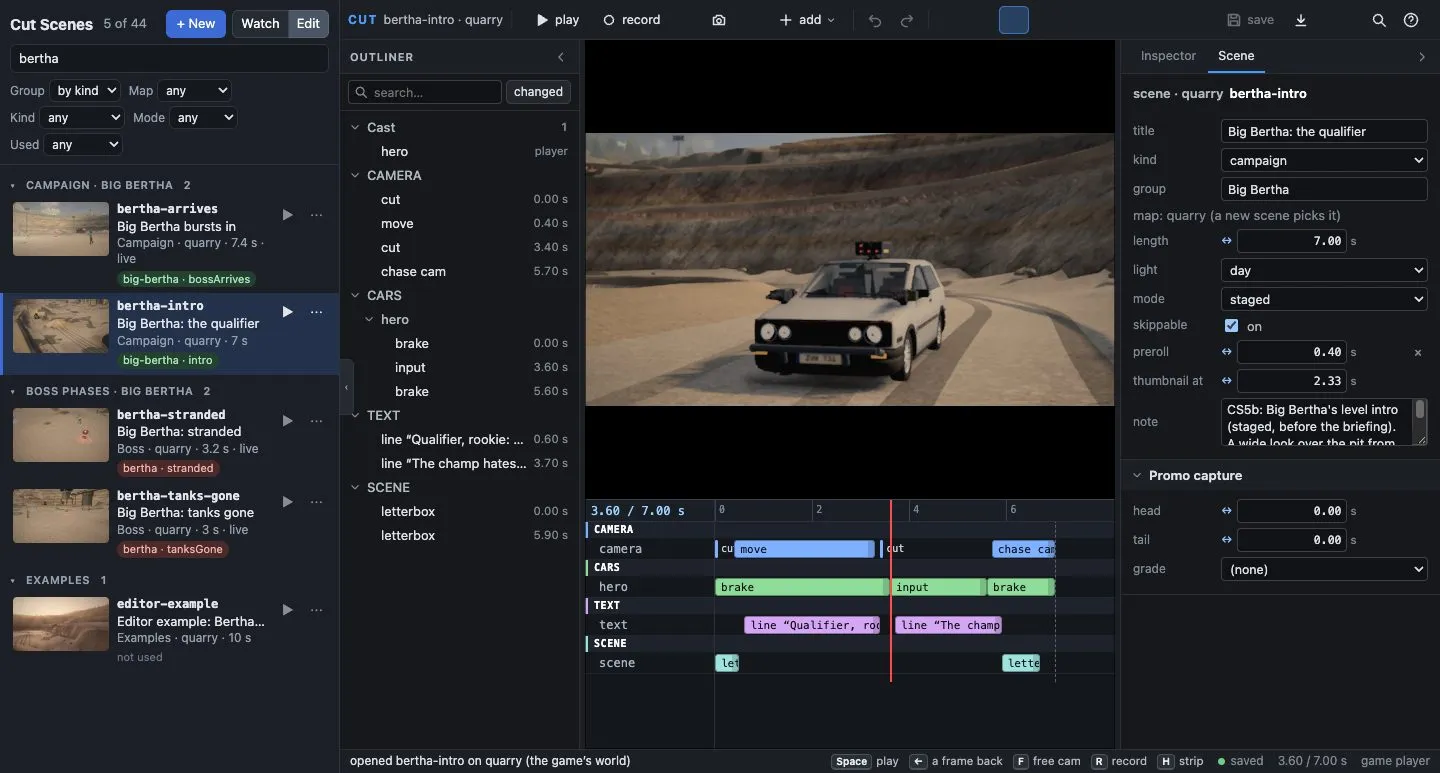
The game needs cut scenes in two places. In the campaign: level intros, a boss bursting in, a boss changing phase. And for promo videos: the store page, social clips, a trailer. This week we built a system for both. Here’s how it works and what turned out to be hard.
The workflow we wanted
We build the game with AI agents, so the workflow is: a person describes a scene in a few sentences, an agent writes it as a file, and the person opens it in an editor, re-frames a shot, moves a beat and saves. The result is a small file in git, where moving a key is a one-line diff.
Before this, our trailer shots were TypeScript code: 35 shots, on test maps that aren’t in the game, with no editor. We’d also built a cut-scene timeline for an earlier project, but it was tied to that project’s story engine. We kept its ideas (scrubbing, a free camera, drafts that survive a crash) and its timeline UI, and wrote the rest for cars.
A scene is a file
A cut scene is one JSON file. It names a map, a cast, and tracks of keys at fixed times:
- Cast: the player’s car, other cars, a boss, each on a named anchor of the map.
- Tracks: camera (cuts, moves, orbits, chase), cars (drive a route, brake, fire, play a take), events (explosions, zombie crowds), text and sound (subtitles only, no voice), and scene effects (slow motion, fades, letterbox).
The important rule: cars drive under real physics. The AI’s steering follows a route, and crashes and dents happen through the same rules as the game. Nothing is animated by hand. Every scene can be skipped, the first time too.
The hard part: the same crash twice
An editor needs a playhead you can drag. Our plan was to get to time t by replaying the scene from the start. That only works if the same start and the same inputs give the same frame.
So we tested it first: four cars crash on the City for 15 seconds, twice, and we compare every car, dent and piece of debris.
Under the right conditions, the two runs matched to the bit. As the game ran then, they parted within 0 to 4 seconds and ended up metres apart. And there’s no “close enough” with crashes:
| Change before the run | Gap between the runs at 15 s |
|---|---|
| None, under the right conditions | exact |
| Car A starts 1 µm to the side | 104 m |
| One physics body made and removed before the map | 80 m |
| Car dents arrive one tick late | 70 m |
One micrometre at the start puts the cars 104 metres apart fifteen seconds later. Any difference at all becomes a different crash.
We found three causes:
- The physics world’s history. The game kept one physics world all session, and even a removed body changes the order the solver works in.
- The dent worker. Deformation runs in a worker, and its answers arrived a tick or two late, depending on frame timing.
- Physics from drawing. A lost wheel became a physics object when a frame was drawn, not on a tick, and was thrown with
Math.random().
The fixes: every scene run gets a fresh physics engine, built in the same order (87–103 ms on the City). Dents are computed on the tick while a scene plays. Lost wheels and torn-off parts drop on the tick, thrown by a seeded random. Now a scene seeked twice, scrubbed and played in real time gives the same frame, to the bit. We checked it at the phone tier too, with the CPU slowed 4×.
To make scrubbing fast, the player keeps every simulated frame. Seeking to a time it has already simulated takes 2–8 ms. Seeking a 12-second scene from cold takes 1.8–3.1 s on desktop.
The editor
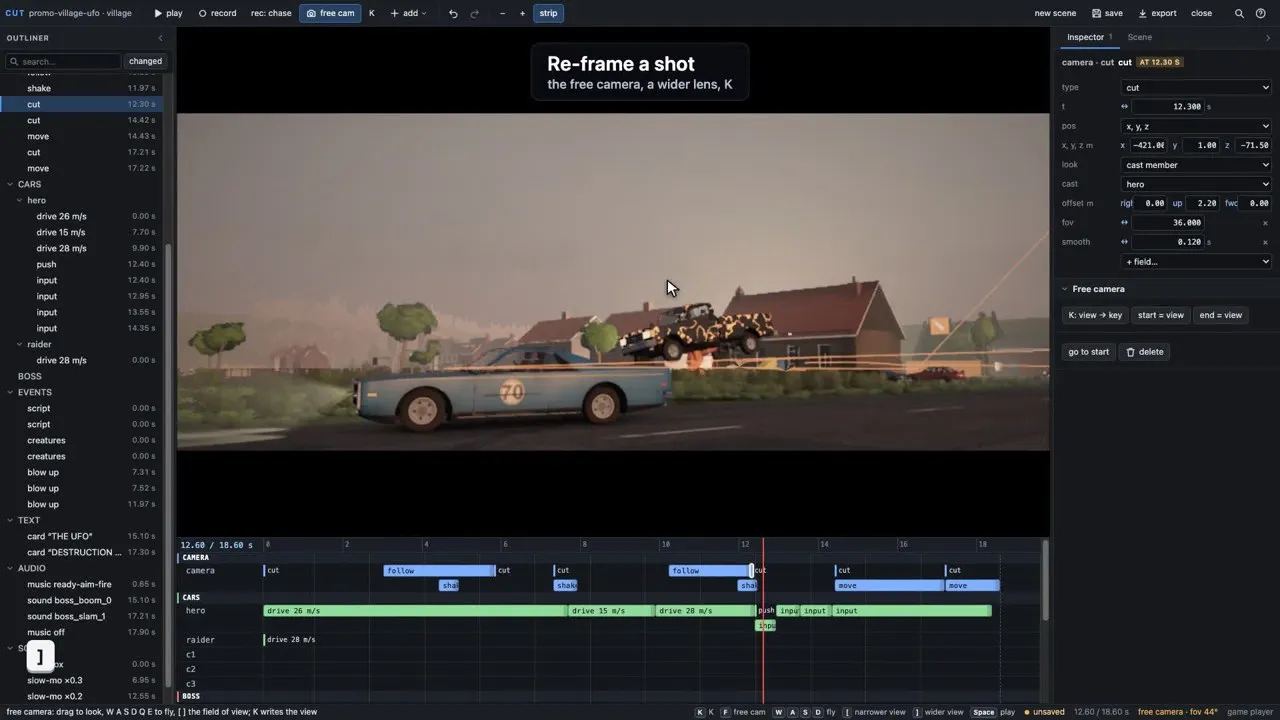
The editor runs on the real game and the real cut-scene player. It’s a desktop dev tool, and none of it ships.
- A timeline with a lane per car and per track. Drag a key to move it, drag its edge to change its length. Drags snap to other keys, the playhead, and the music’s beats.
- Re-framing:
Fgives a free camera,Kwrites its view into the selected camera key. If the shot was relative to a car, it stays relative to that car. - An inspector with a form for every field, built from the format’s own definitions, so a new key type gets a form for free. No JSON editing.
- Record a take: press
R, and you drive a car yourself while the scene plays. Your inputs become that car’s take, and it replays the same crash every time. - Save checks the scene first, then writes the file. The game hot-reloads it at the same time.
From a few sentences to a scene
Agents get a written guide and a checker. npm run check-scene checks the file against the map (do the anchors exist, does the text fit, is anything too long), then opens the scene in a muted headless browser, saves stills at the key times, and checks that the seeked frame and the played frame are identical.
As the proof, an agent drafted a scene from three sentences: dawn in the Village, a zombie horde crosses the main road towards the church, the player’s car skids to a stop in front of them, and a subtitle says “Not today.”
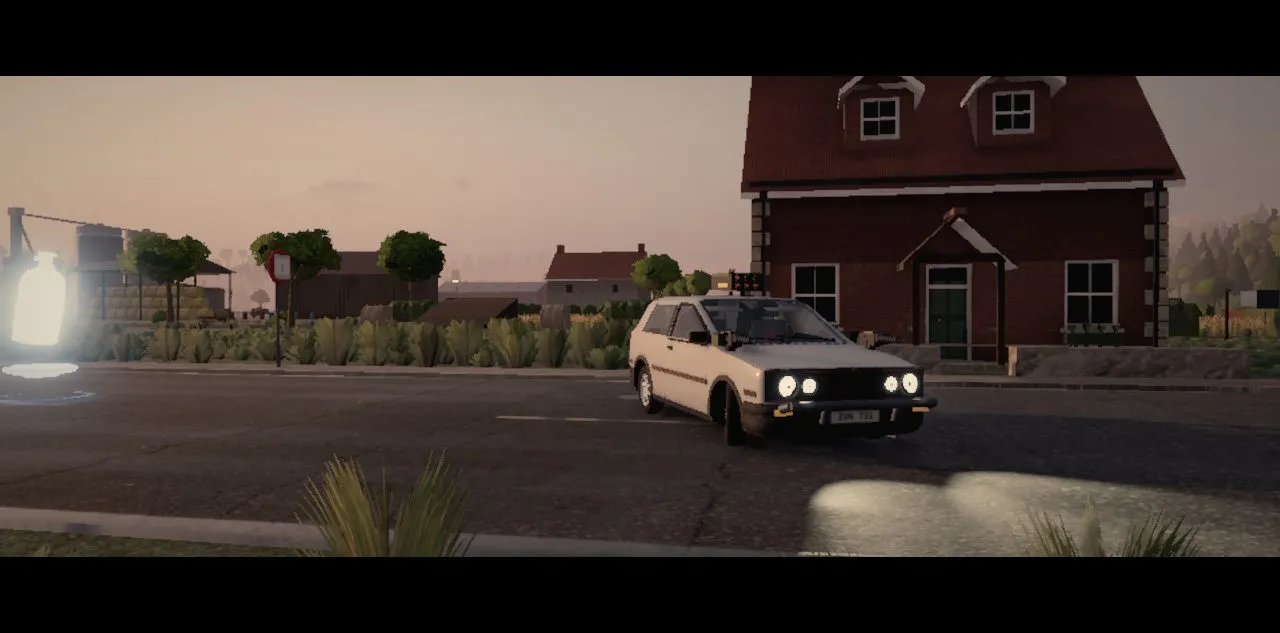
It came out as an 8-second scene with four shots, and it taught us things that went into the guide:
brakeat a standstill reverses, because those are the game’s controls.- A skid needs a small spin kick, because the arcade handling catches slides.
Where scenes are used
- Big Bertha’s level now runs the full flow: an intro scene, a gate sprint through the Quarry, a live scene as she bursts in, then the fight. Her phase changes play from files too.
- All 35 old trailer shots are now scene files on the game’s real maps. The old trailer code is gone.
- MP4 export: any staged scene renders to an MP4 at 720p or 1080p, 30 or 60 fps, with its music and crash sounds mixed offline. The first promo scene, 21 seconds through the Village ending at the UFO, was made the same day.